Core Platform: Concierge

Talk to Your Data: Tableau & Power BI

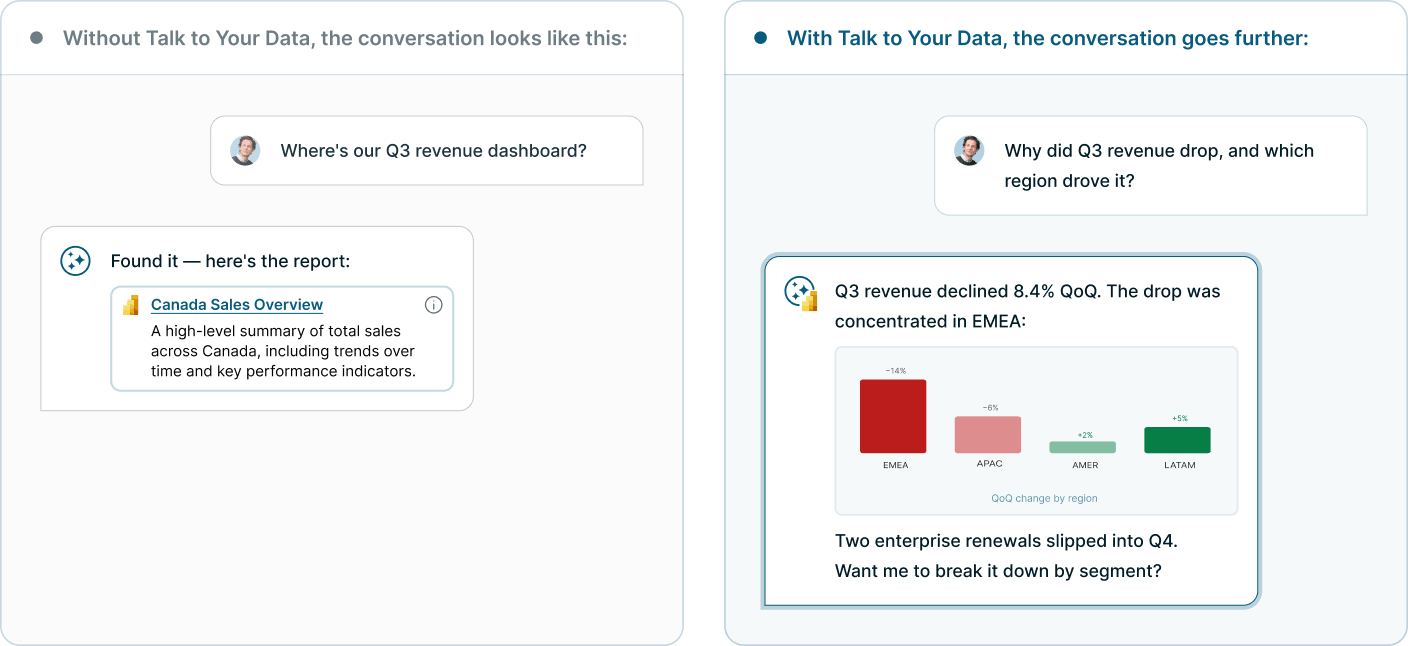
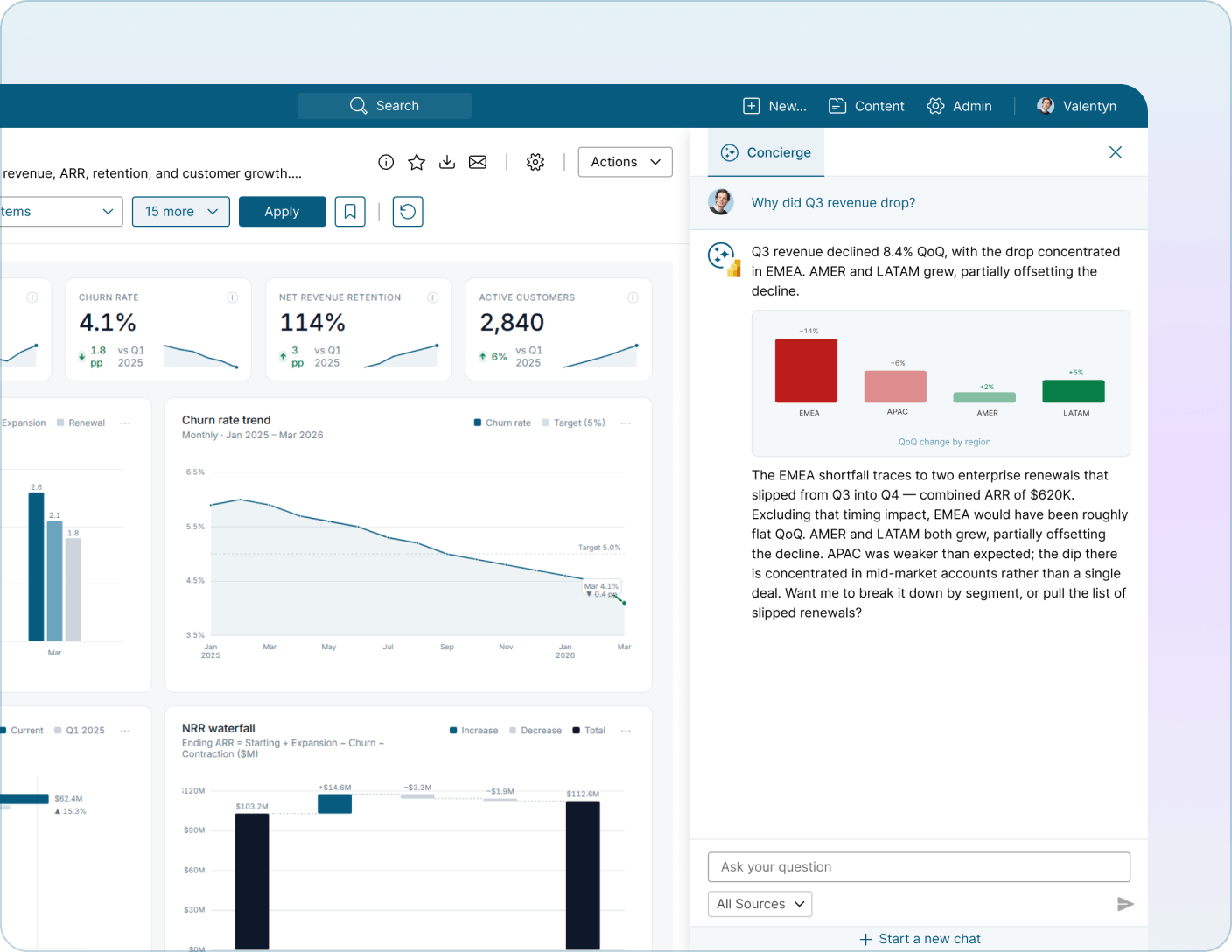
Concierge already helps your team find the right report. Talk to Your Data goes further, it answers questions from inside the data, pulling live numbers straight from Power BI and Tableau and explaining what they mean in plain language. No SQL. No DAX. No screenshots. Just ask.

Before and after

How it works

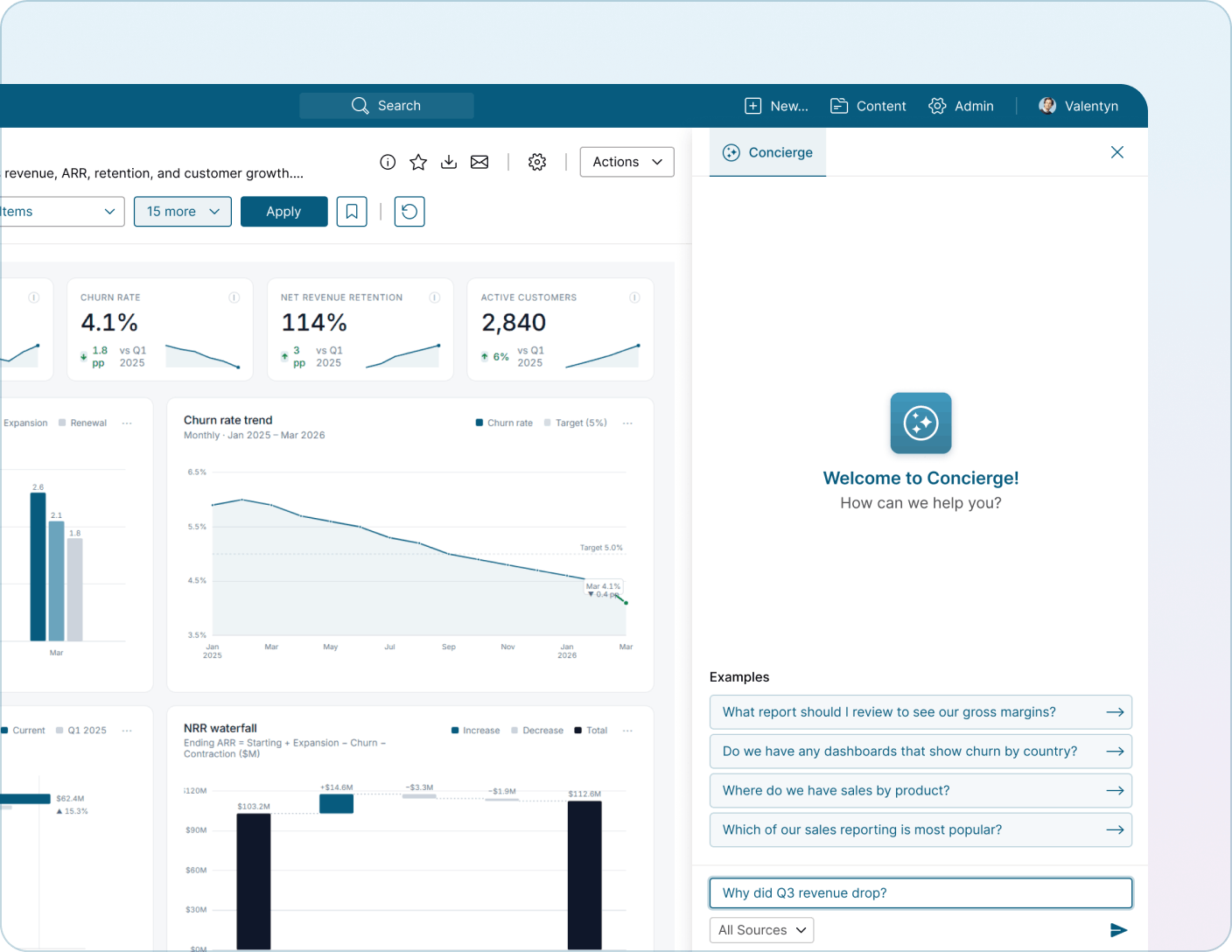
You ask a question

In your own words, in any view across 
Metric Insights.

Concierge picks the right data source

It knows which Power BI Semantic Model or Tableau data source backs the report you're looking at, or finds the closest match across what you have access to.

It queries the data live

Not a cached snapshot, not a vector summary. The actual data, in the moment.

You get a 
grounded answer

Written explanation, supporting numbers, a chart when it helps, and a clear "Source" badge showing which platform answered.

Power BI, natively connected

Talk to Your Data ships with three deep Power BI capabilities out of the box:
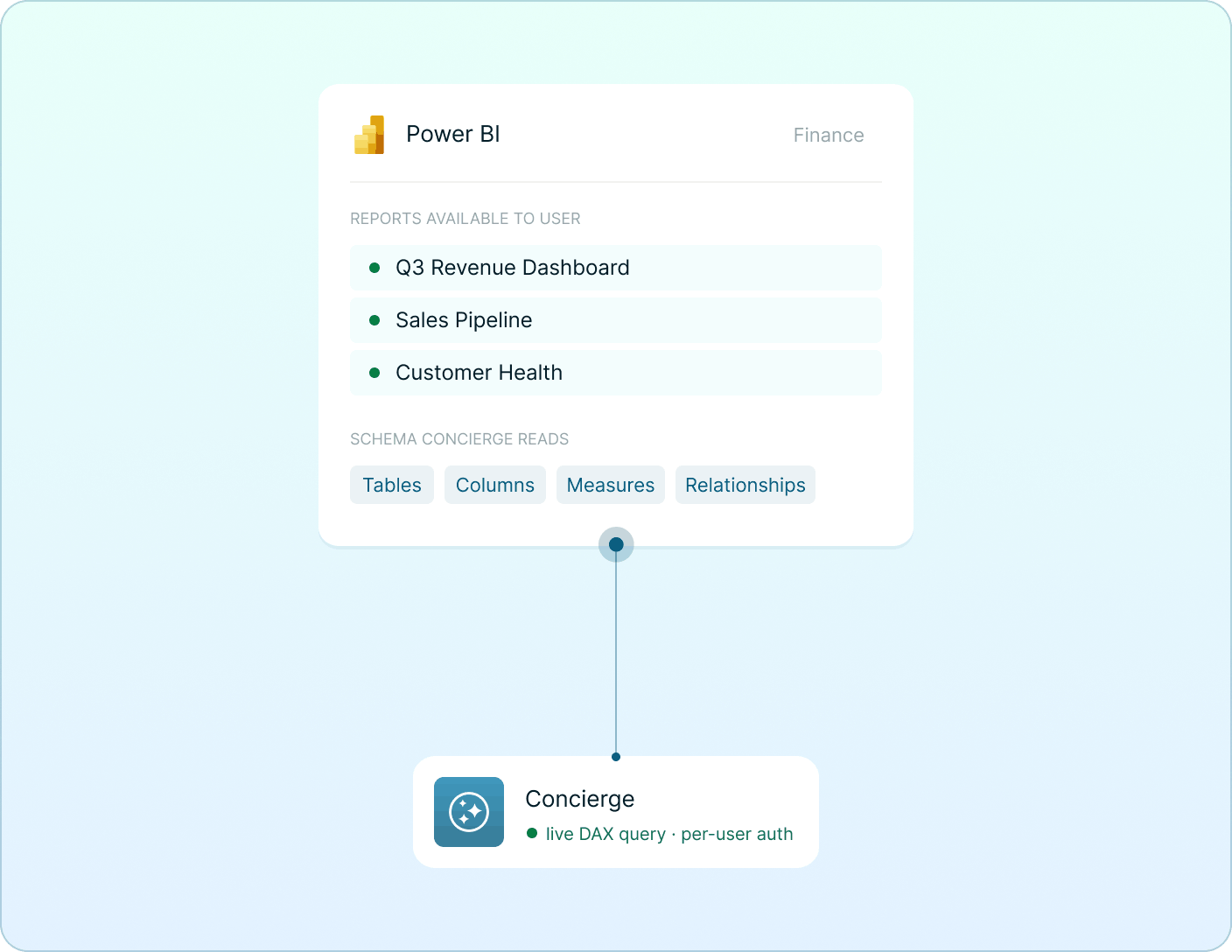
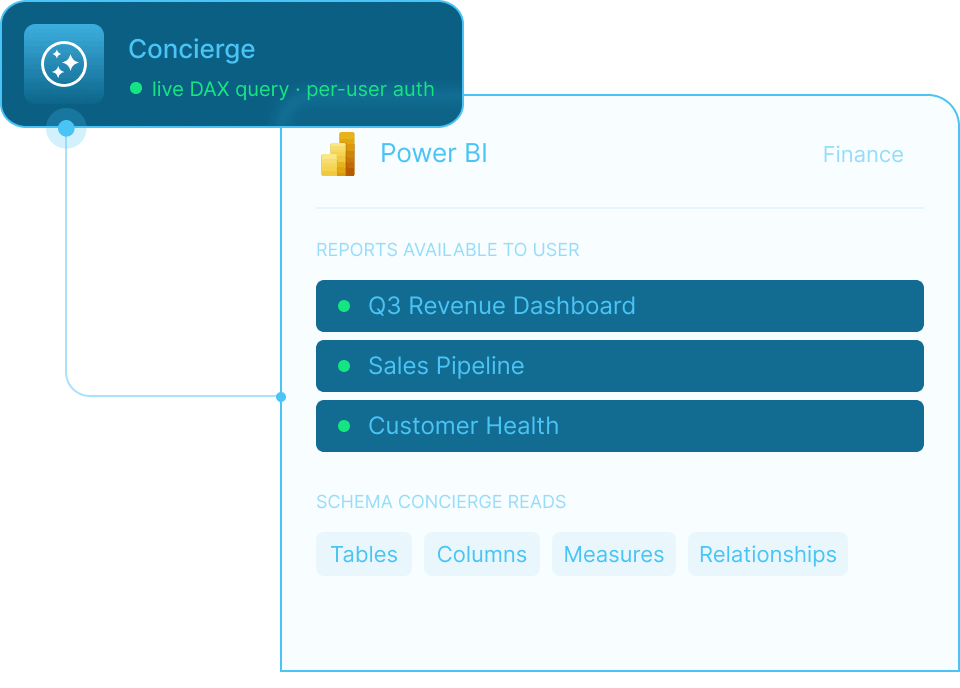
  • Understand — It reads the schema, including tables, columns, measures, and relationships, so it knows your data model the way an analyst would.
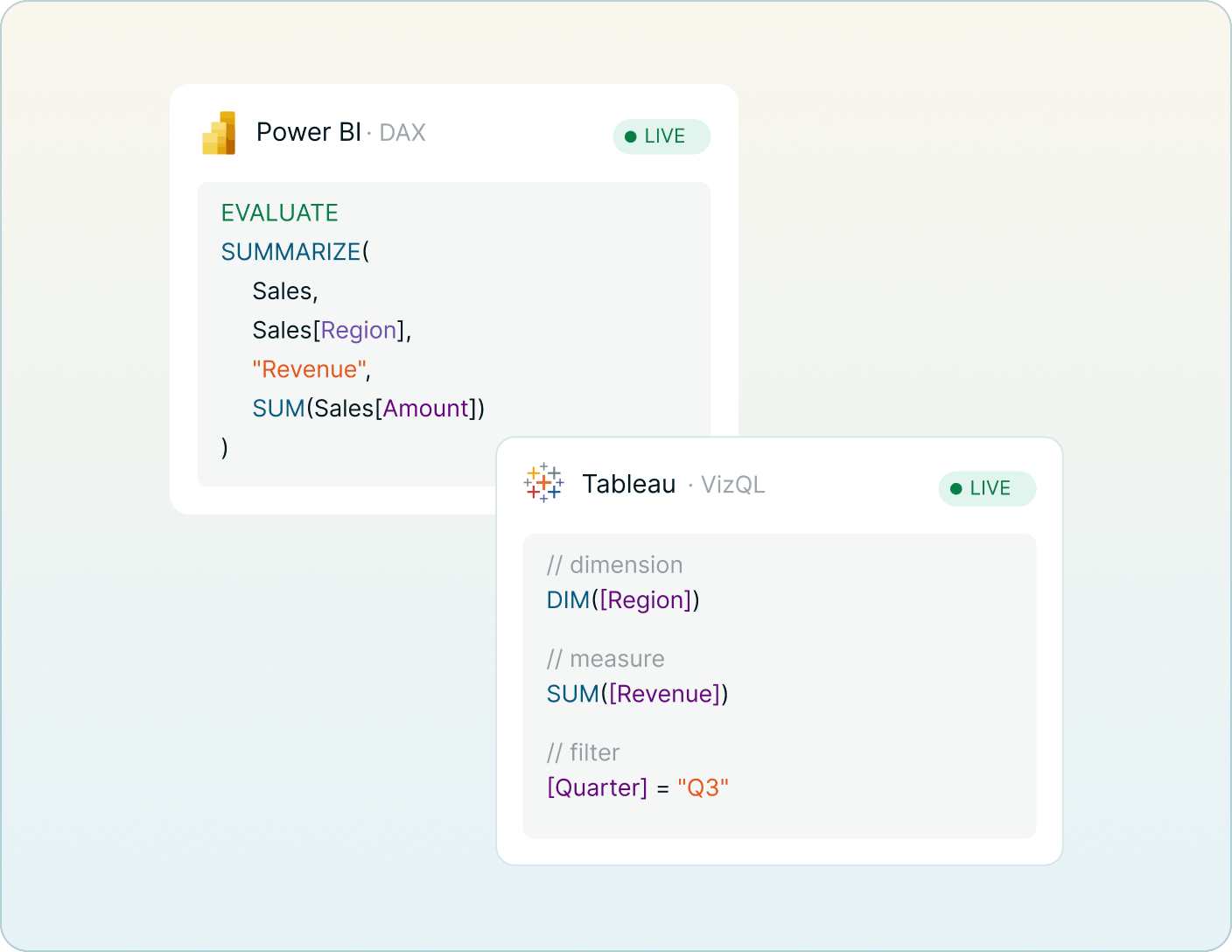
  • Query — It writes and runs DAX against your Semantic Model to answer the question, then translates the result back into plain language.
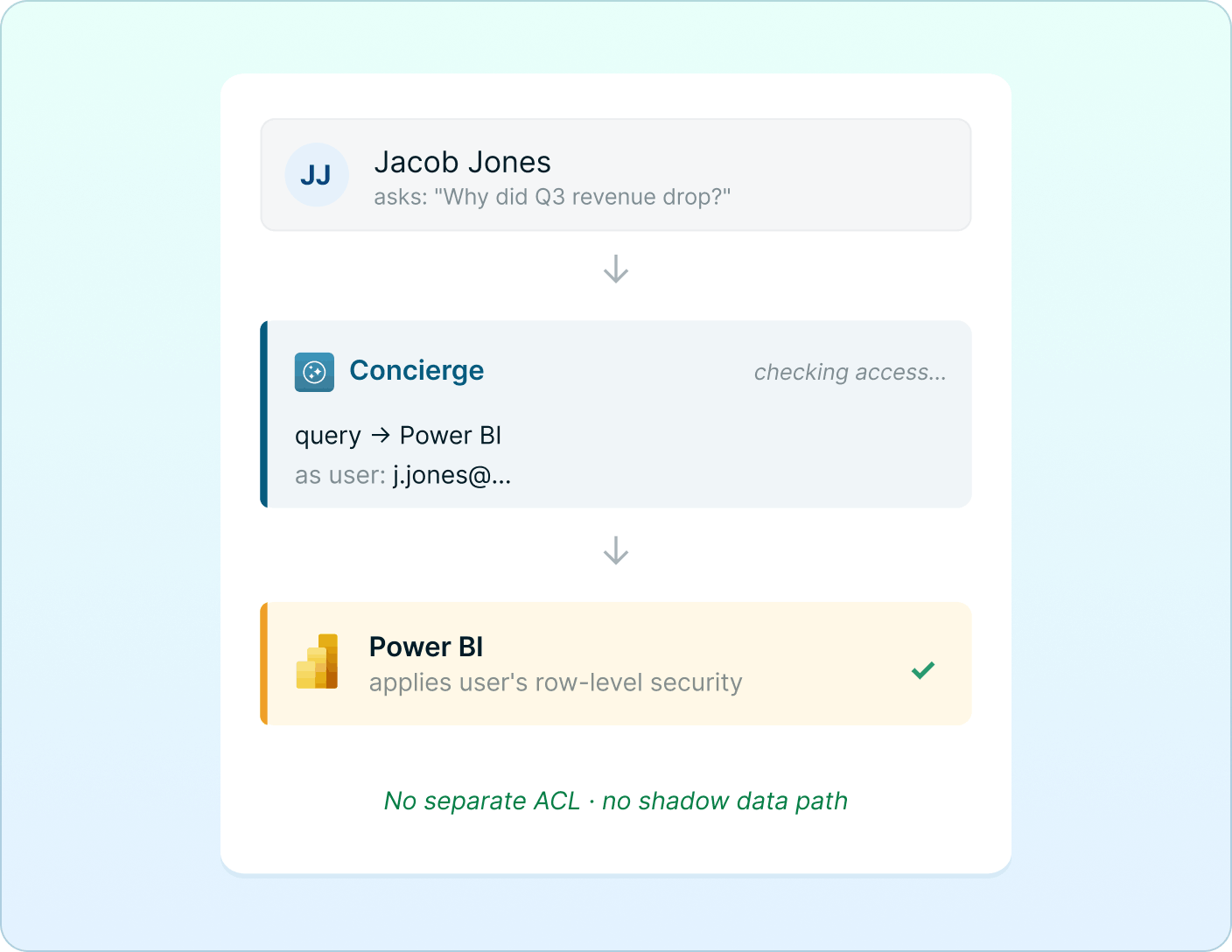
When per-user authentication is enabled, every query runs under the asking user's own Power BI credentials — so if a user can't see the data in Power BI, they can't see it in chat.

Tableau, natively connected

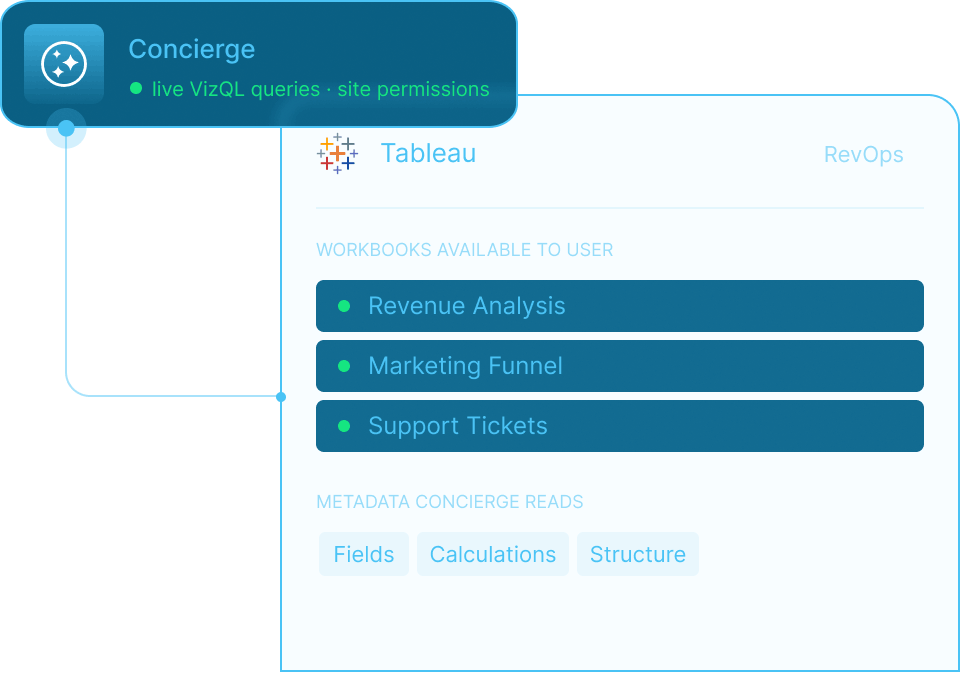
The same three capabilities, built directly on Tableau's VizQL Data Service:
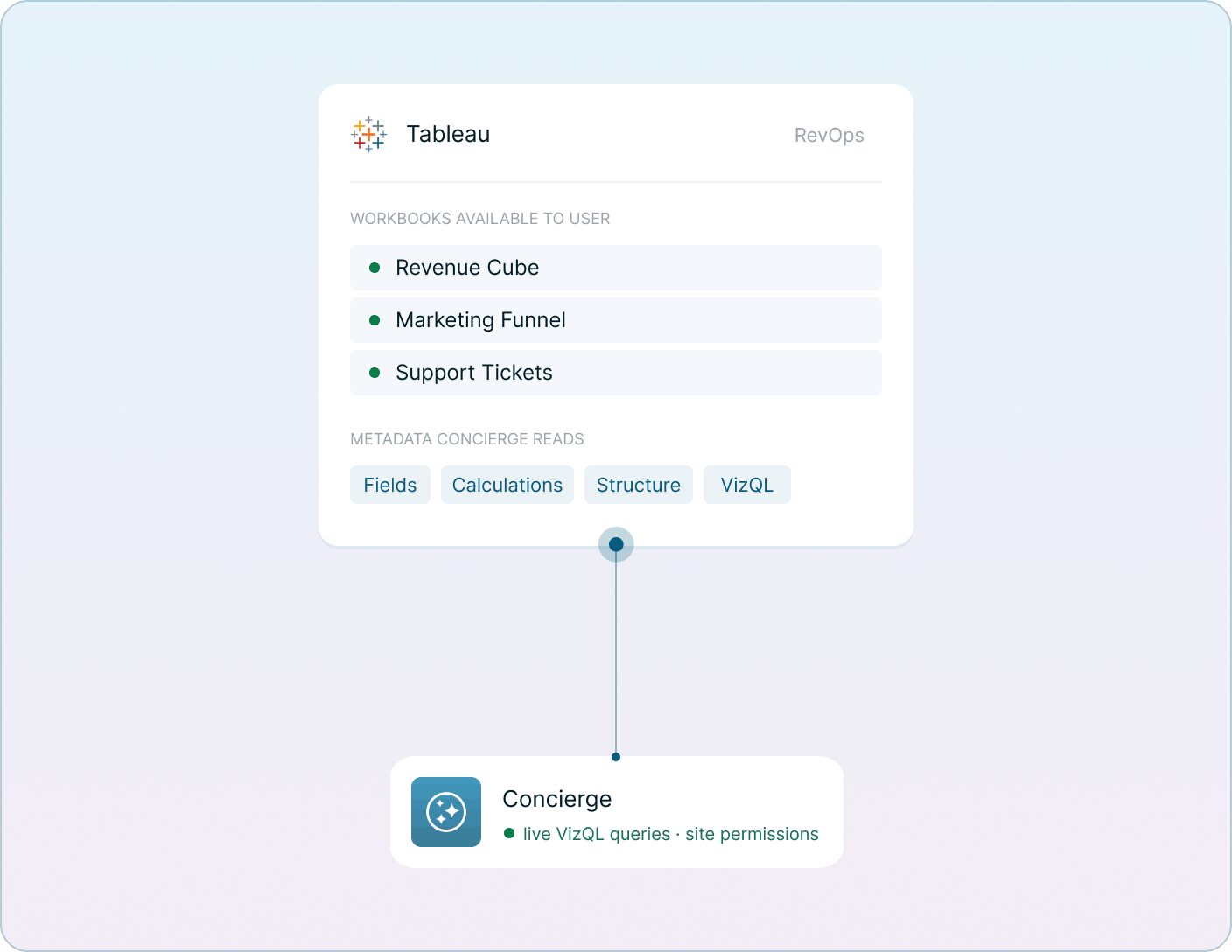
  • Understand — Reads field metadata, calculations, and structure.
  • Query — Pulls live data through VizQL and explains the result in context.
When per-user authentication is enabled, Tableau site and project permissions flow through to chat exactly as they do in Tableau itself.

Tune it for your business, without writing code

Out of the box, Concierge knows how to talk to Power BI and Tableau. To make it talk like your team, admins get a full configuration surface:

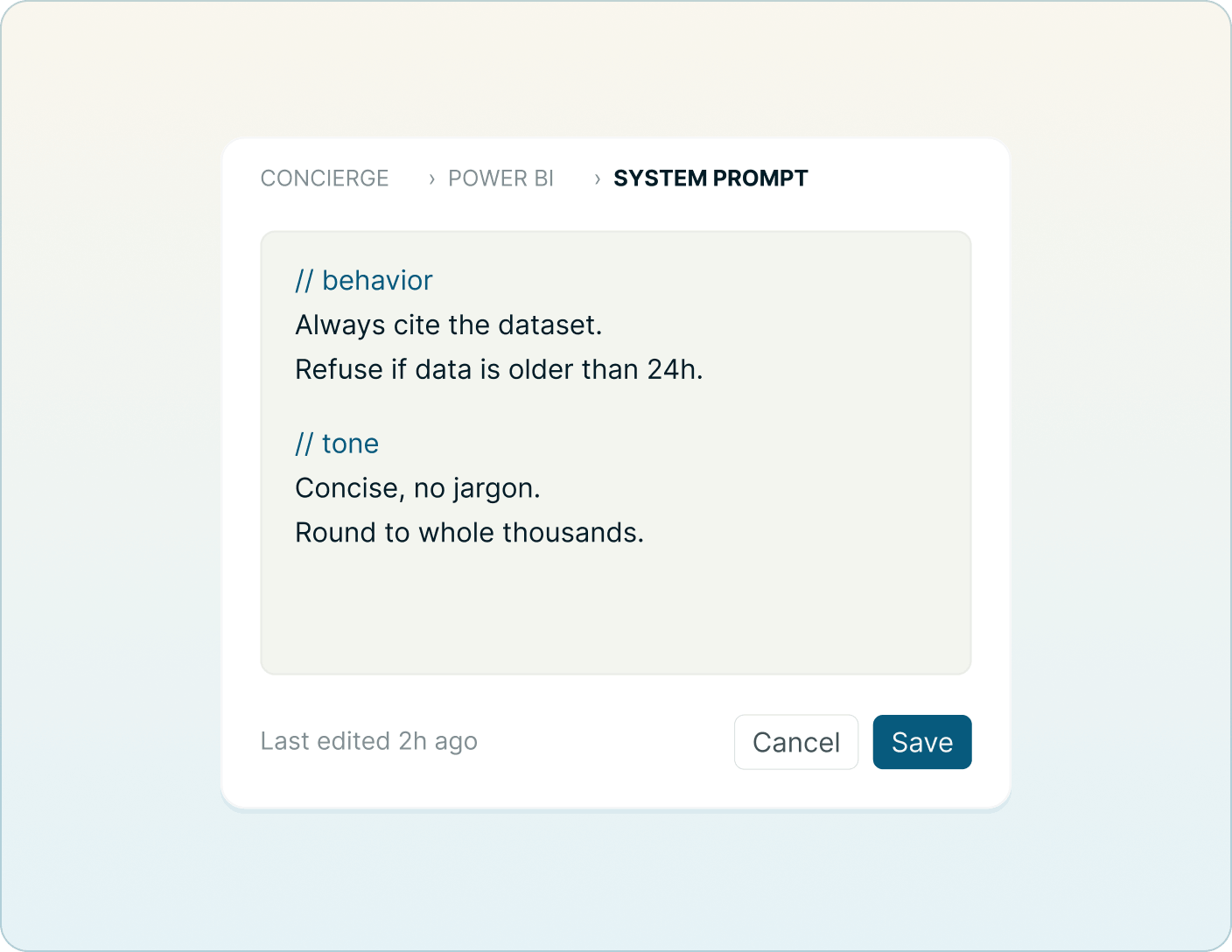
System Prompts

Edit the foundational instructions that shape how Concierge behaves with each tool. Encode policy. Set tone. All from the admin UI.

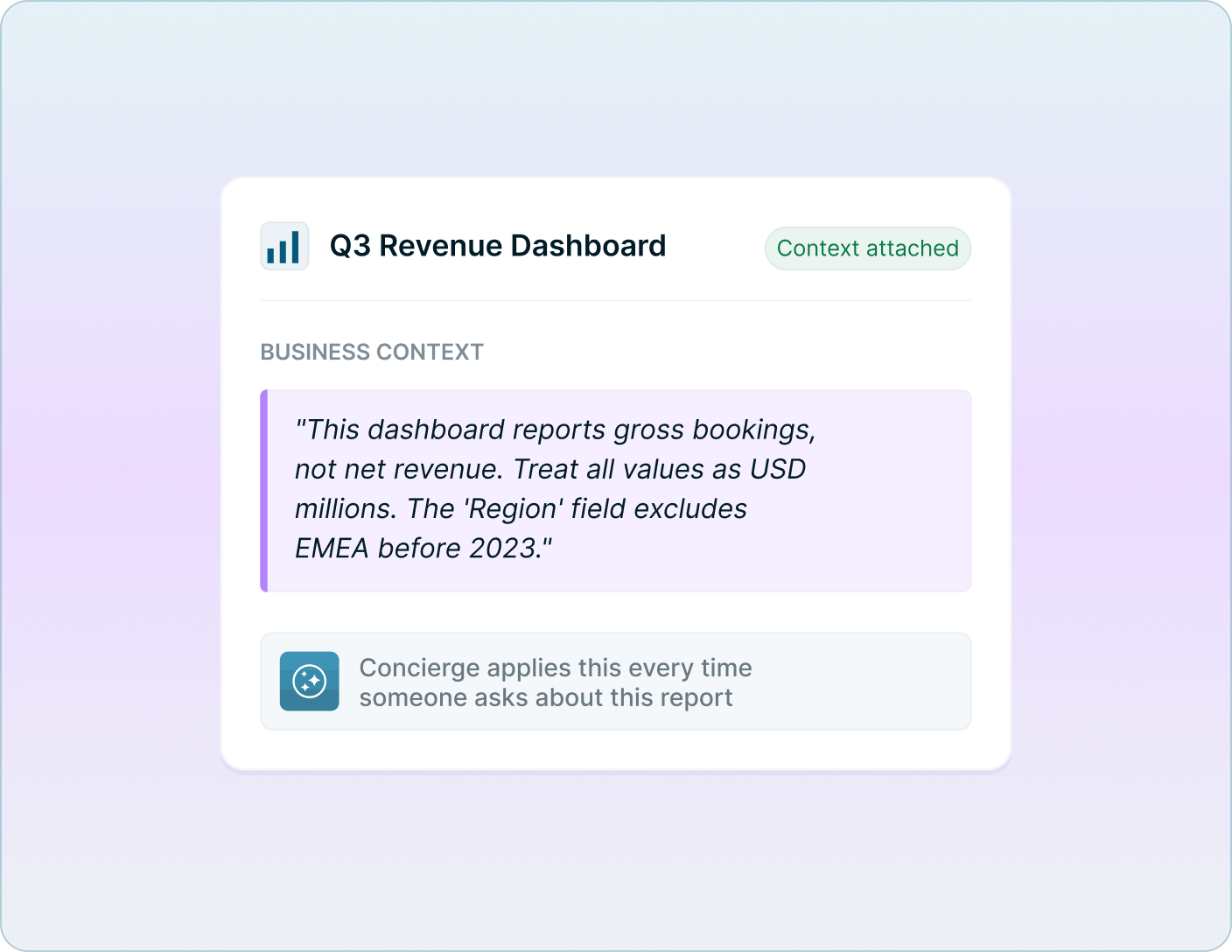
Per-Report Learning

For any specific dashboard, attach plain-language context that helps the AI answer well: "This dashboard reports gross bookings, not net revenue. Treat all values as USD millions. The 'Region' field excludes EMEA before 2023." Concierge applies that context automatically every time someone asks about that report.

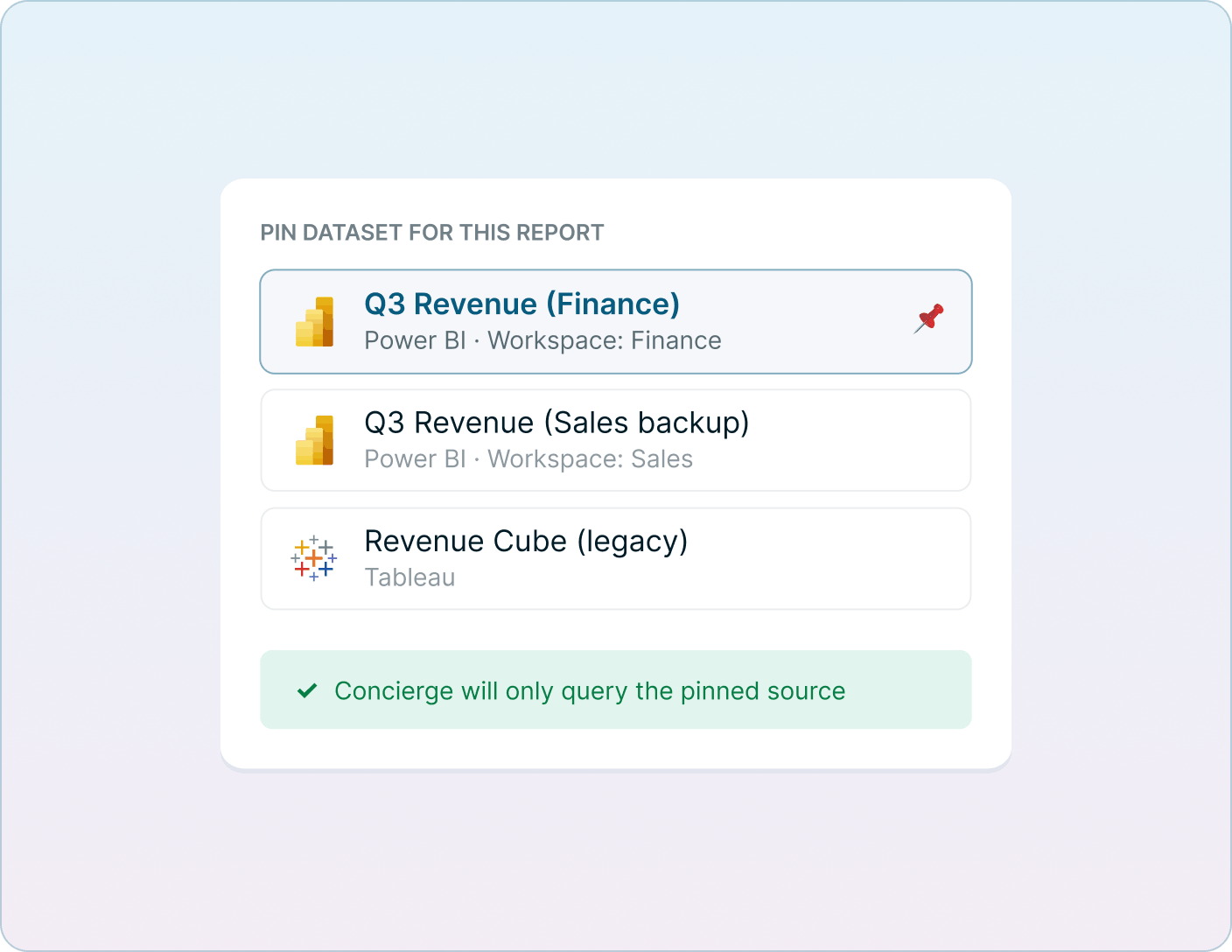
Pinned Datasets

For high-traffic reports, pin the exact Power BI dataset or Tableau data source Concierge should query. Eliminates ambiguity for the AI and removes a class of "wrong answer" failures.

Built for enterprise from day one

Permissions match how you already govern BI access

Authenticate Talk to Your Data the same way you authenticate the rest of Metric Insights. Use service-account credentials for shared dashboards, or turn on per-user pass-through so every query runs under the asking user's own Power BI or Tableau identity. There is no separate ACL to maintain, and no shadow data path that bypasses the controls your security team has already approved.

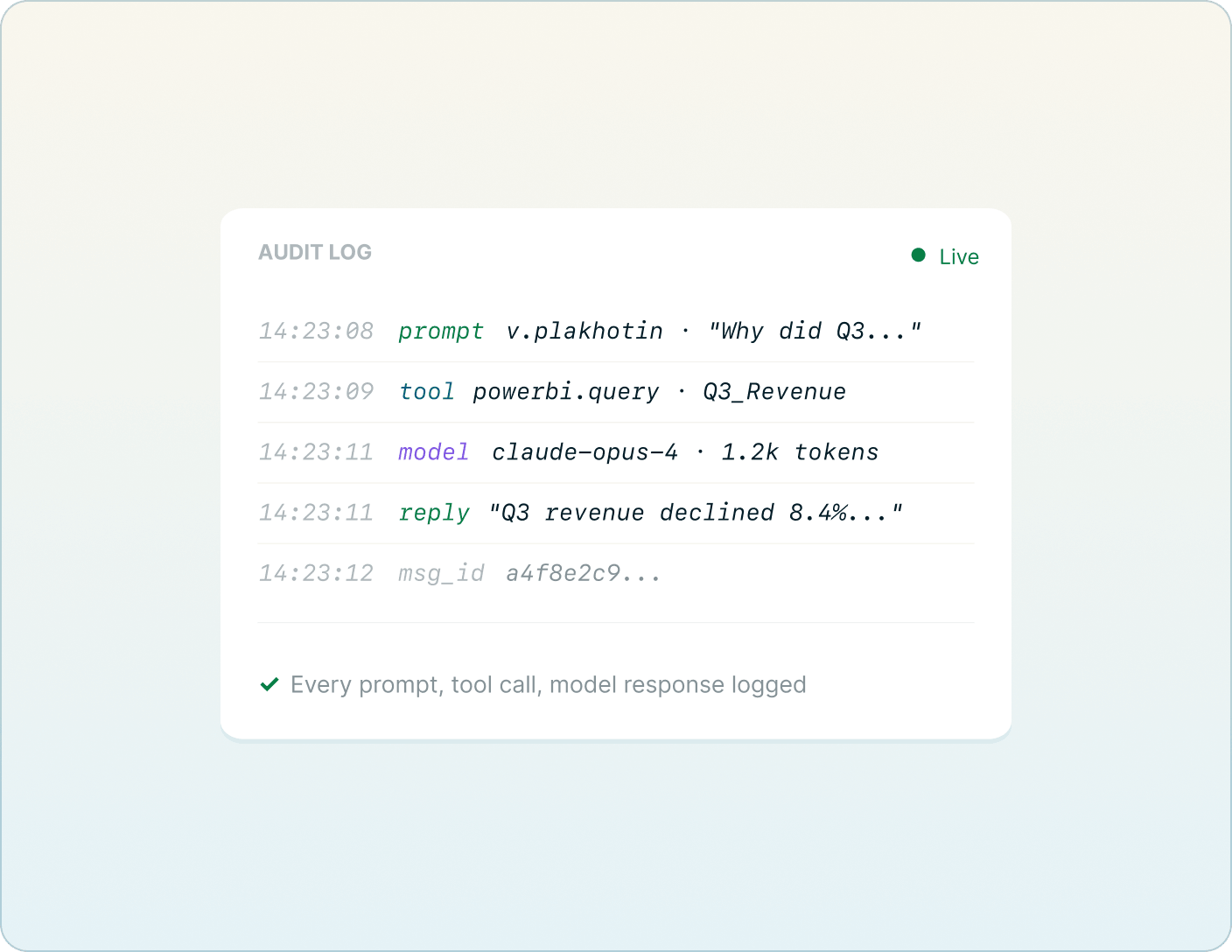
Every conversation is auditable

Every prompt, every model response, every tool call, every error is logged with a timestamp, user, and message ID. Designed to satisfy the kind of review your security and compliance teams will want to run.
NEXT
Learn about AI Alerting Analysis